> For the complete documentation index, see [llms.txt](https://unibitbtc.gitbook.io/unibit-docs/llms.txt). Markdown versions of documentation pages are available by appending `.md` to page URLs; this page is available as [Markdown](https://unibitbtc.gitbook.io/unibit-docs/how-to-change-price.md).

# How to change price

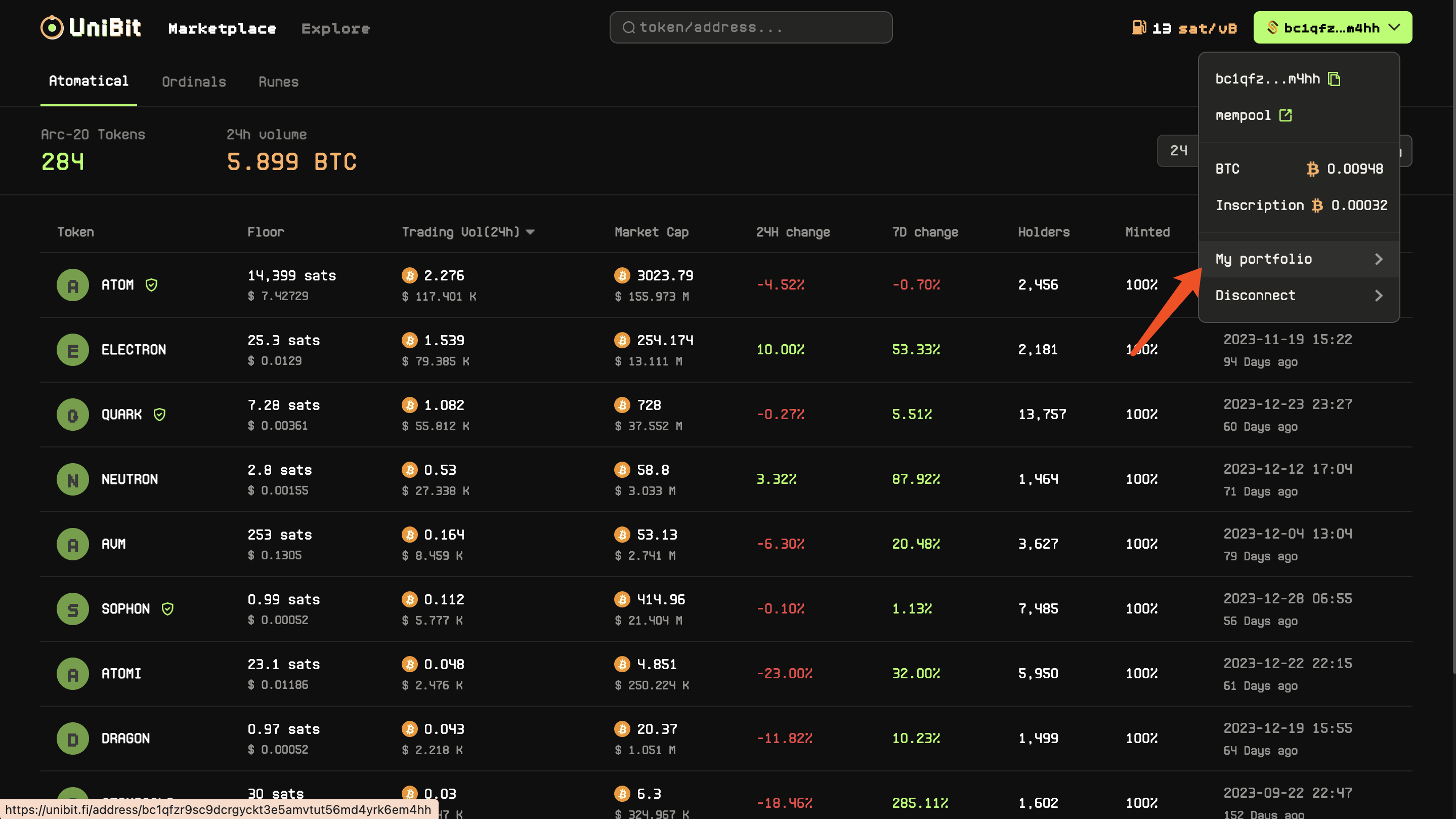
1. Click on the Wallet button on the top right of any page, and select **My portfolio;**

<figure><img src="https://1232444131-files.gitbook.io/~/files/v0/b/gitbook-x-prod.appspot.com/o/spaces%2FeiUkWPv4kTfdsRZq06vq%2Fuploads%2Fb5h25C705kPlk26MDTFJ%2Fimage.png?alt=media&amp;token=f2ca2318-3476-4b31-9f8c-9f6f01f52e05" alt=""><figcaption></figcaption></figure>

2. Find the order Listing for sale and click **Edit;**

<figure><img src="https://1232444131-files.gitbook.io/~/files/v0/b/gitbook-x-prod.appspot.com/o/spaces%2FeiUkWPv4kTfdsRZq06vq%2Fuploads%2FcRc7KPxQI49F54QNVyF2%2Fimage.png?alt=media&amp;token=ab45de87-c67c-446f-a742-d4e85d2d7297" alt=""><figcaption></figcaption></figure>

3. After modifying the price, click the **Confirm** button;
<figure><img src="https://1232444131-files.gitbook.io/~/files/v0/b/gitbook-x-prod.appspot.com/o/spaces%2FeiUkWPv4kTfdsRZq06vq%2Fuploads%2FvcisG8di0qroKSZgFwGX%2Fimage.png?alt=media&amp;token=0cf770be-e7d7-4d41-9373-286a85cfa52c" alt=""><figcaption></figcaption></figure>
